Zia
Designing a Digital Privacy Coach for Gen Z
Helping Gen Z understand and take control of their digital privacy without fear, jargon, or friction. A concept mobile experience that teaches privacy through quizzes, guided action, and lightweight gamification.
Privacy tools are broken for Gen Z
Gen Z users care about digital privacy, but most rely on default settings and only take action when something feels invasive. Existing privacy tools are complex, buried in menus, and written in technical language that discourages engagement. The core problem is not awareness — it's translation.
Users recognize privacy terms e.g., cookies, tracking, VPNs; but can't explain what they mean or how they affect daily life. Recognition ≠ understanding.
Awareness ≠ understandingPrivacy concern is reactive. Users only act after something crosses a personal "creepy" threshold. Proactive behavior is rare — not because users don't care, but because the tools make it hard.
Discomfort drives actionUsers rely on default settings not because they trust them — but because alternatives feel time-consuming and confusing.
Defaults trusted by necessityPrivacy systems fail to translate abstract risk into understandable, actionable moments. Gen Z isn't apathetic...they're overwhelmed.
Abstract risk = paralysis5 interviews · ages 22–26 · TikTok, Discord, YouTube users
I chose qualitative interviews over surveys because privacy attitudes are emotional and contextual. Interviews captured discomfort, resignation, and trust signals that surveys flatten.
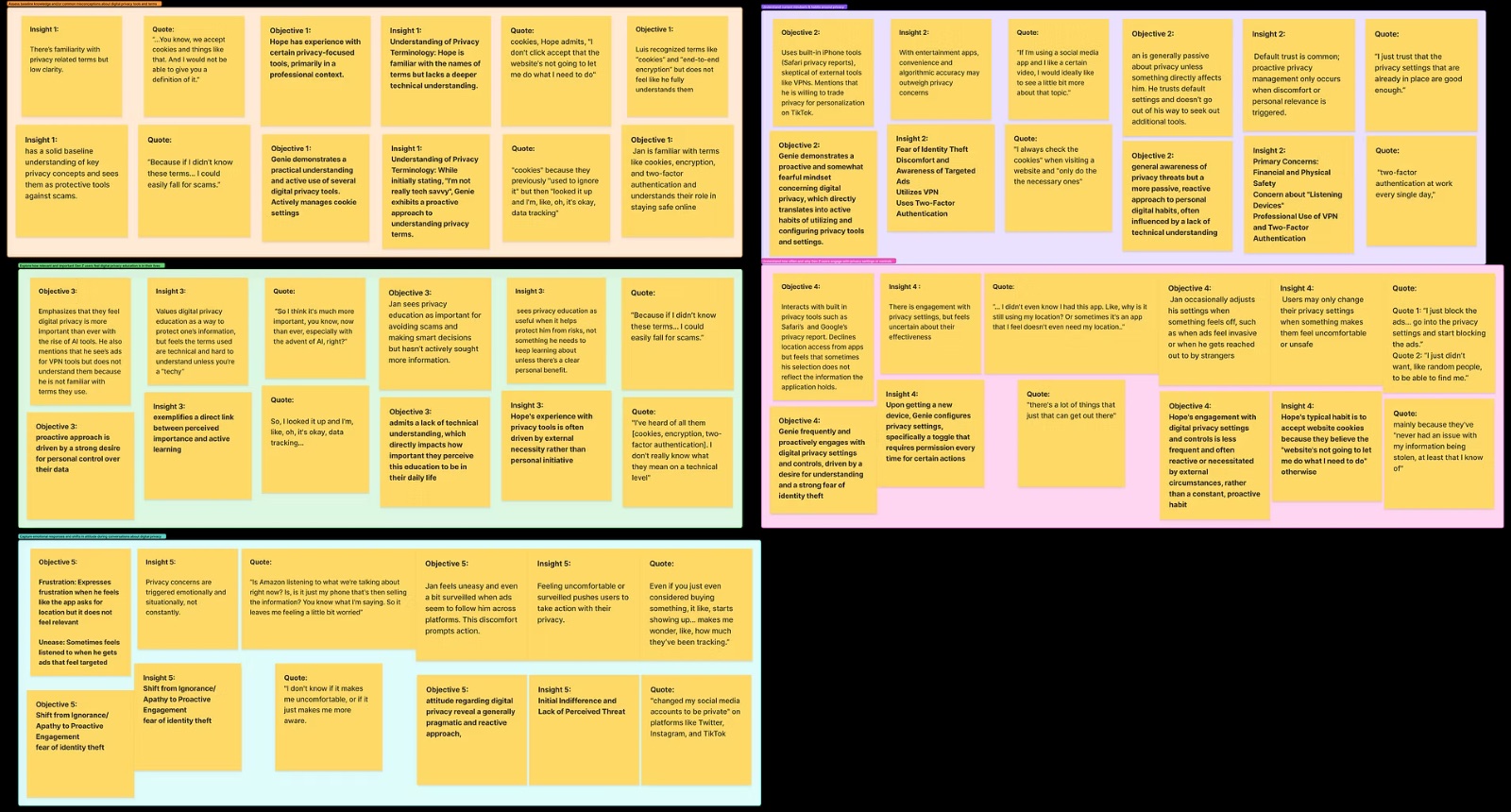
Participants recognized terms like cookies, tracking, and VPNs, but struggled to explain what they meant or how they affect them.
Privacy concern is reactive. Users act after something feels invasive or "creepy" — not proactively.
Users rely on default settings not because they trust them — but because alternatives feel time consuming or unclear.
| Assumption | Reality |
|---|---|
| Gen Z doesn't care about privacy | They care when it feels personal |
| They understand privacy terminology | Recognition, not comprehension |
| Concerns lead to actions | Action follows discomfort, not concern |
Opportunity: Design a privacy experience that connects abstract risk to everyday behaviors and shows users their actions actually matter.
Two users at different privacy awareness stages
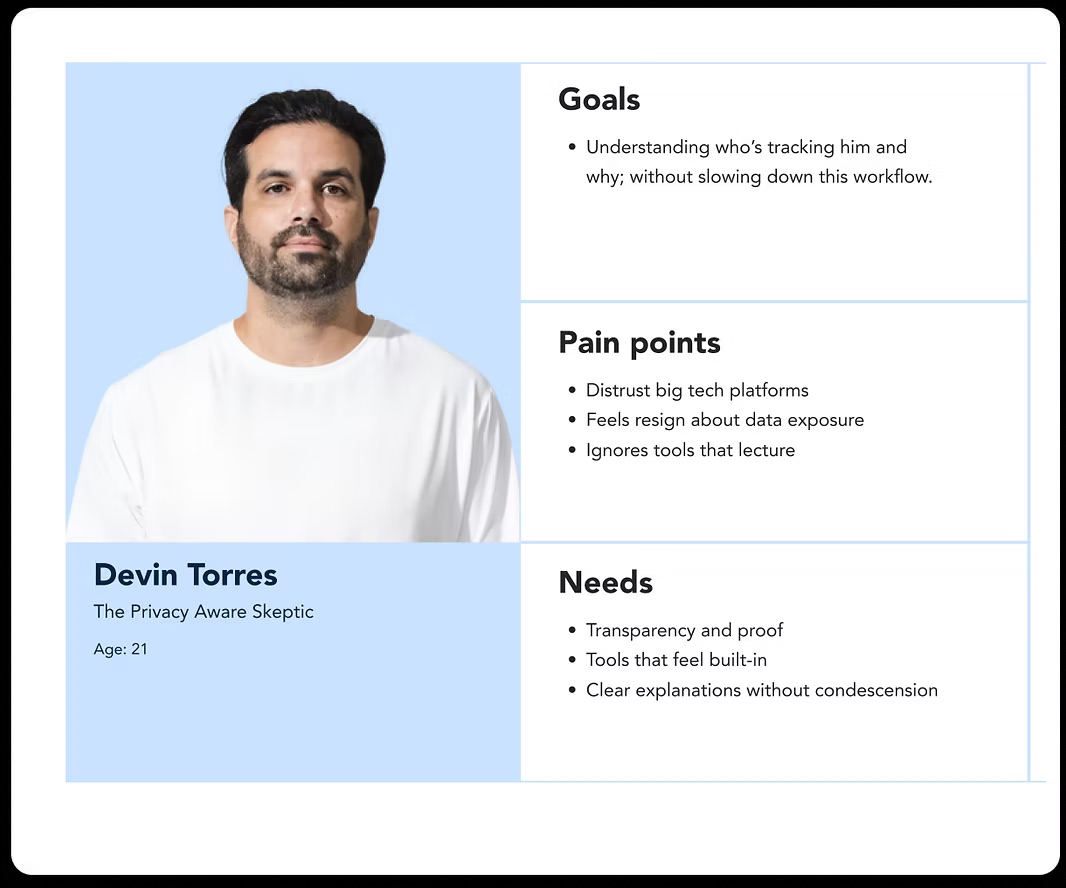
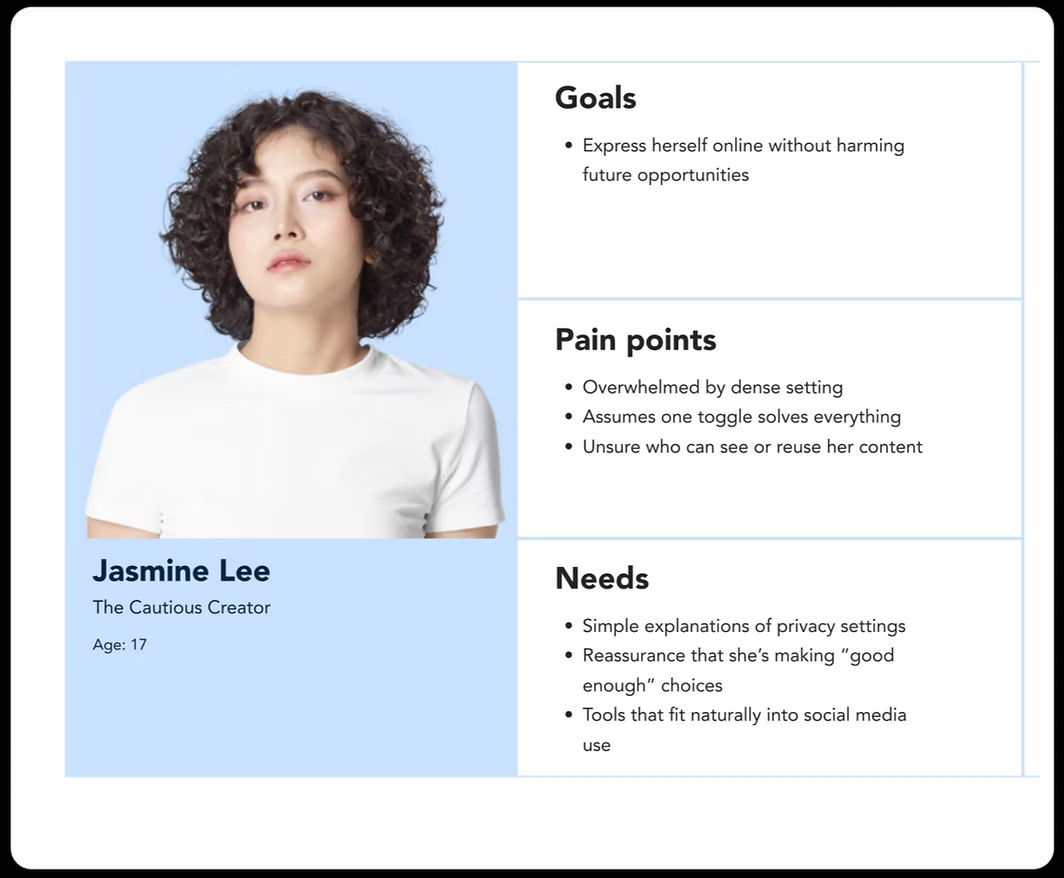
Use quizzes, examples, and friendly language instead of dense explanations.
Anchor learning in real triggers like ads, links, and app behavior.
Encourage small wins rather than total mastery.
Confirm actions clearly so users know something changed.
Wireframes → High-Fidelity
Early wireframes focused on minimal cognitive load, conversational guidance, and clear hierarchy. As designs evolved: visual feedback for actions, clearer progress indicators, stronger differentiation between quiz types.
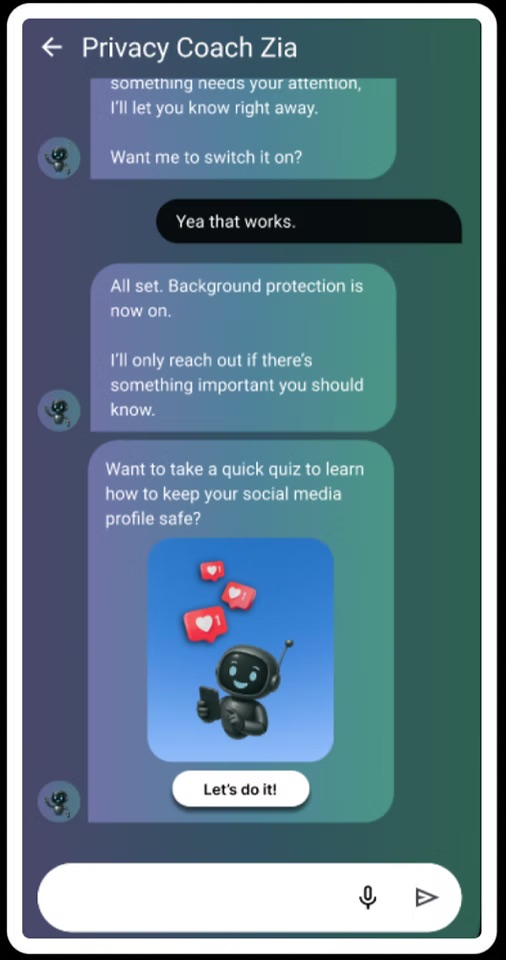
Rather than acting as a control panel, Zia acts as a translator — turning complex systems into understandable moments.
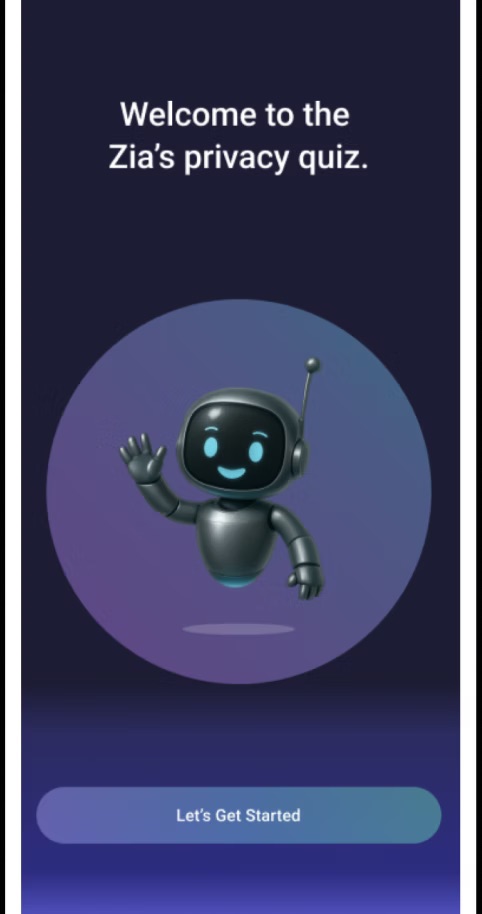
4 tests · 25–30 min · every finding iterated
Task-based flows mapped to both personas. Evaluated first-time clarity, educational effectiveness, quiz engagement, and trust signals.
"I was expecting to just kind of be brought directly to a quiz… Now it seems like I'm back at a dashboard."
Notifications now lead directly to the relevant quiz or action bypassing the dashboard when coming from a privacy alert.
"There wasn't really an explanation... just a check mark."
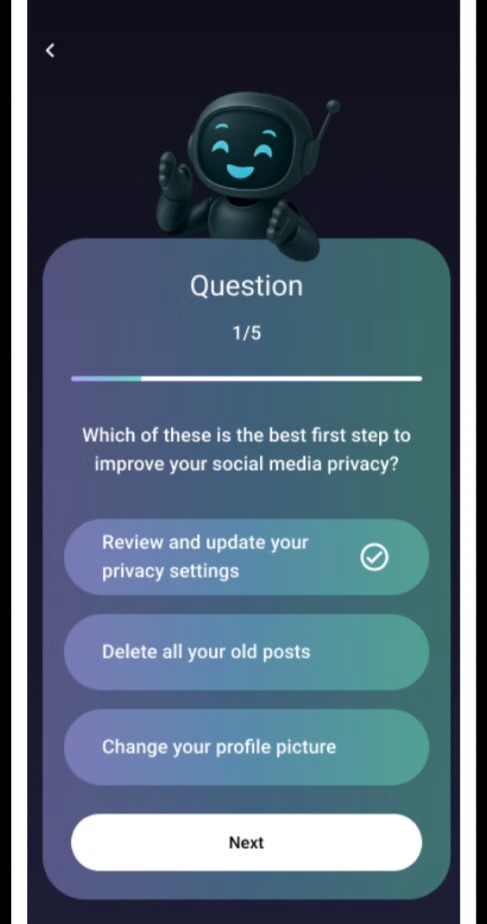
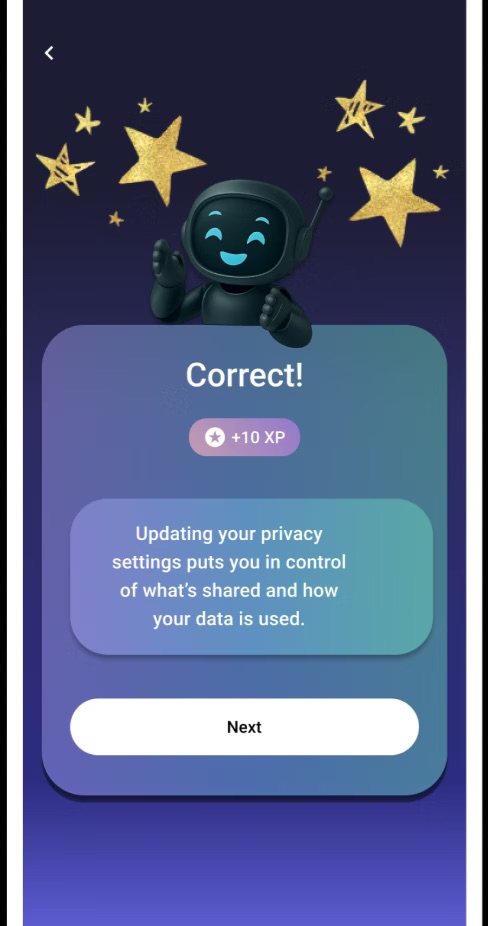
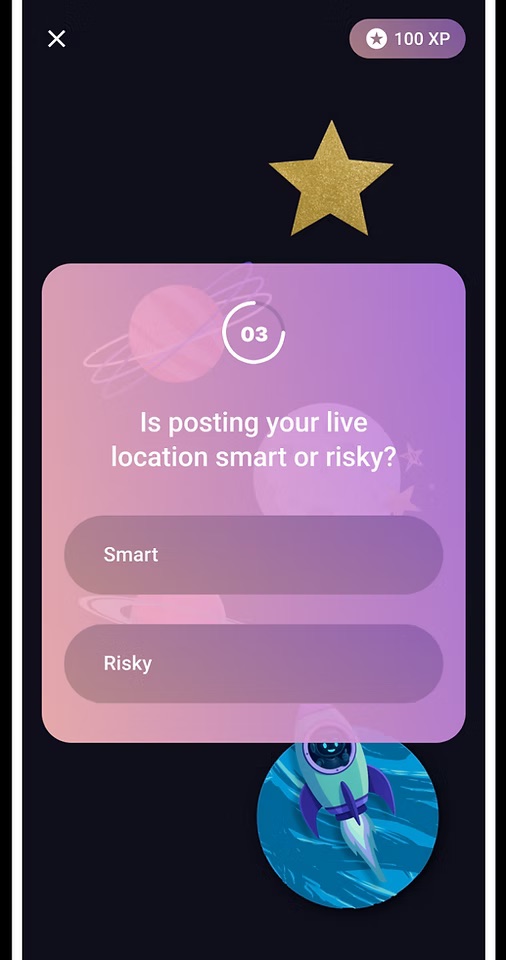
"The lightning round has some of the same questions… but I get why they're repeated, to drill it into your brain."
Differentiated quiz types by intent: learning quizzes introduce new concepts; lightning rounds reinforce existing knowledge. Visually distinct to set expectations.
"I just get another chat saying that it was done. I guess I don't know for sure if it was actually done or not."
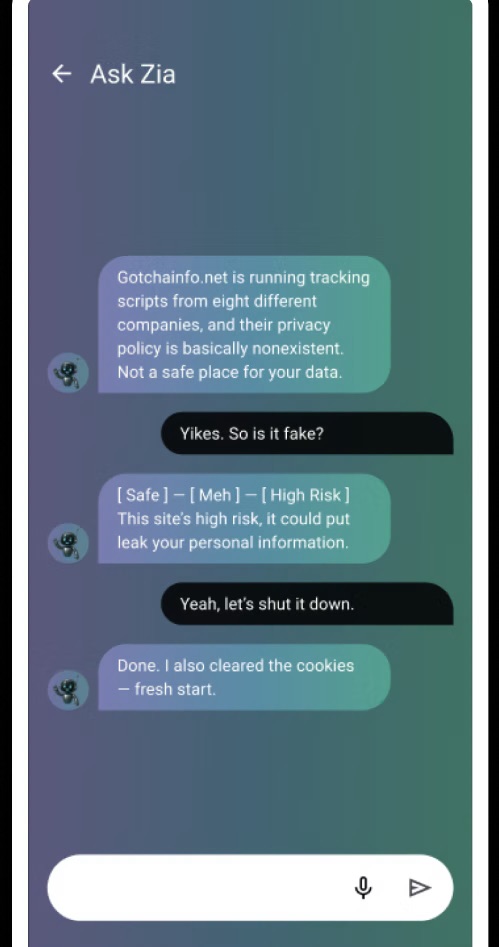
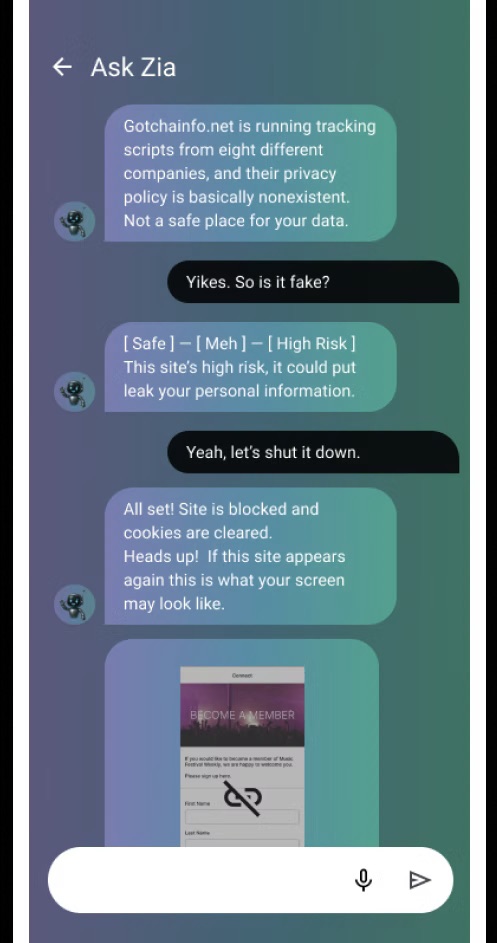
Users liked earning XP but didn't know what it was for or how it connected to their privacy progress.
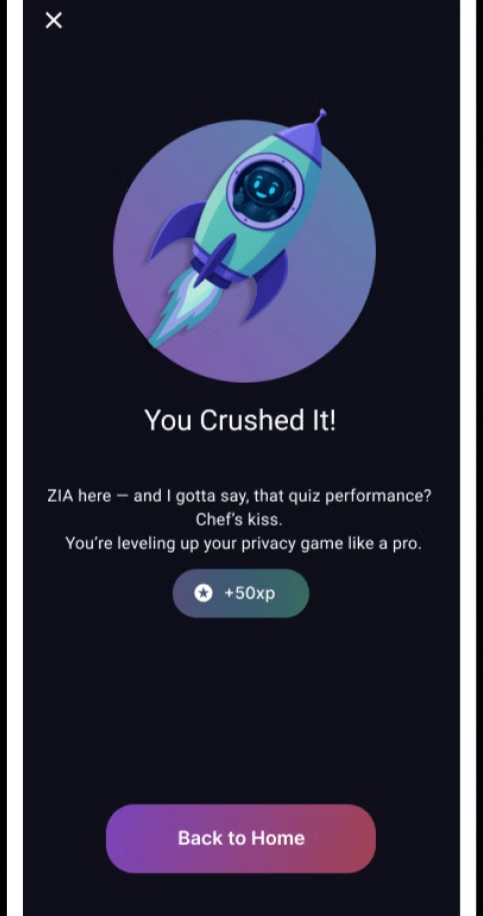
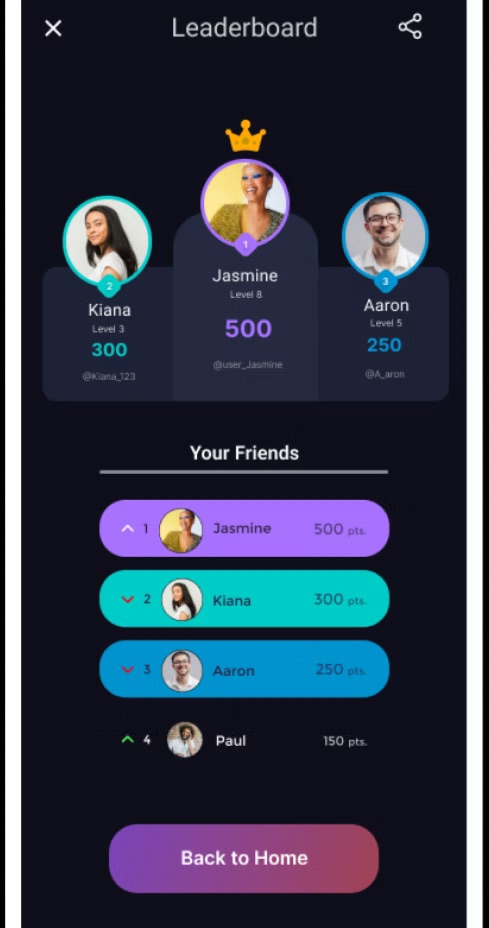
What Zia demonstrates
Zia feels supportive, not judgmental, positioning privacy as something users can understand and manage. The final prototype presents a clear learning entry point, actionable guidance, and visible confirmation of progress and protection. This project demonstrates the ability to translate qualitative research into design direction, design for trust and comprehension, and iterate based on usability evidence.
Test with younger Gen Z users (ages 13–18) to validate design for earlier digital behaviors.
Measure long-term behavior change — does learning translate to sustained privacy actions?
Explore browser or OS-level integrations to reduce friction and increase contextual relevance.
Want to discuss this project?
I'd love to walk through my research process, design decisions, and usability testing insights.
Get in touch